SakuraOS 1.0 Cherry Blossom
Arch Linux with the parts that usually take a weekend already decided, and a way back when an update goes wrong.
Welcome to SakuraOS
SakuraOS 1.0 is here. This is our public release of the Sakura Operating System. It is Arch underneath, with KDE Plasma on the desktop, a performance tuned kernel, and five applications built from the ground up for SakuraOS. An opinionated distro with all the right flavors mixed in.
This first release is about one idea. Arch has the best model in Linux, but the worst recovery story. We kept the first and fixed the second.
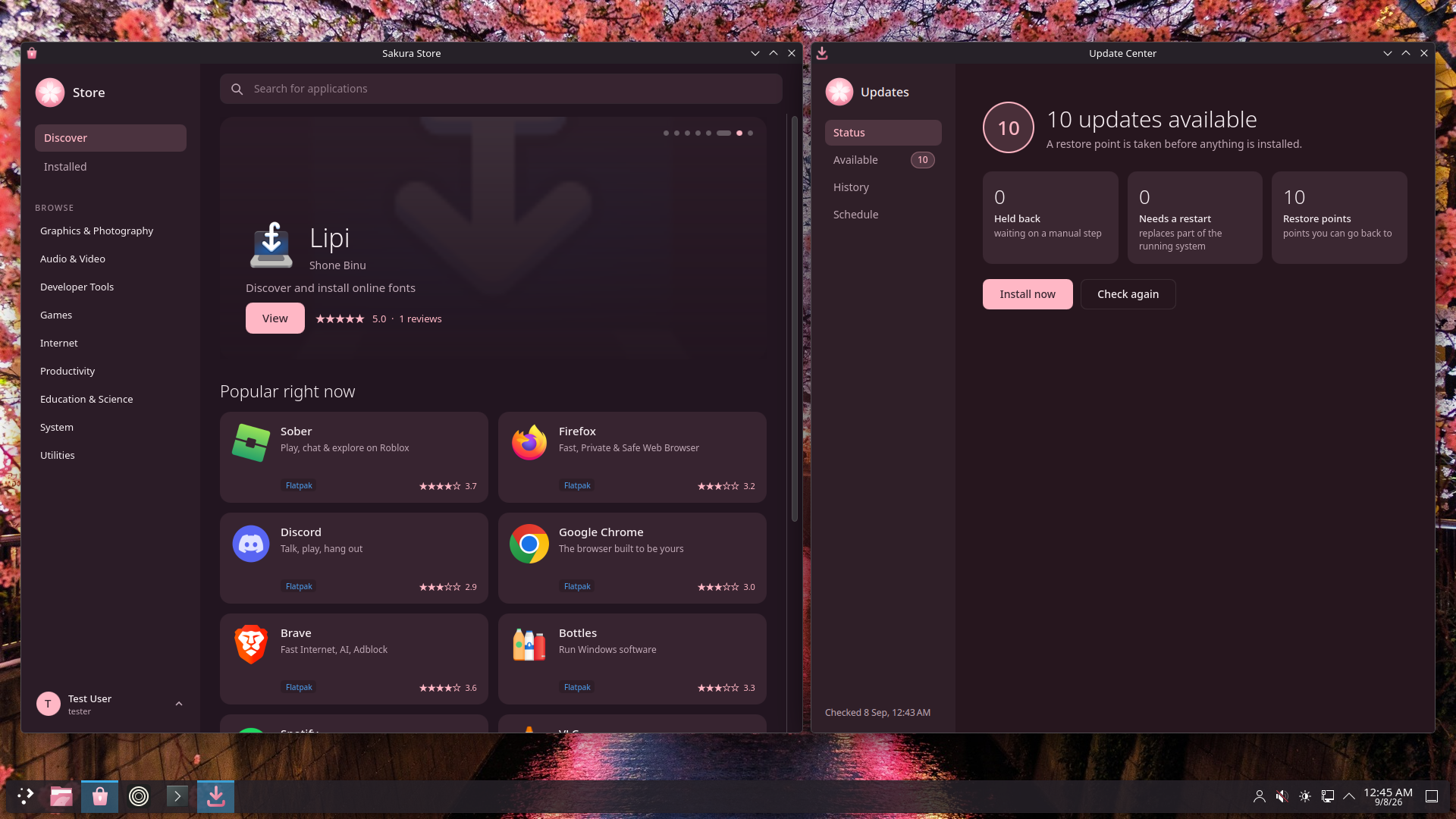
A way back that does not need a live USB anymore
Restore points are taken before every package transaction, so the state you can return to is the state you were in a second earlier.
If an update leaves the machine unable to start, you do not need to know what a chroot is. After three failed starts the recovery environment opens by itself, lists the restore points in plain language, and puts the system back when you pick one. Your home directory is on a separate subvolume and is not touched.
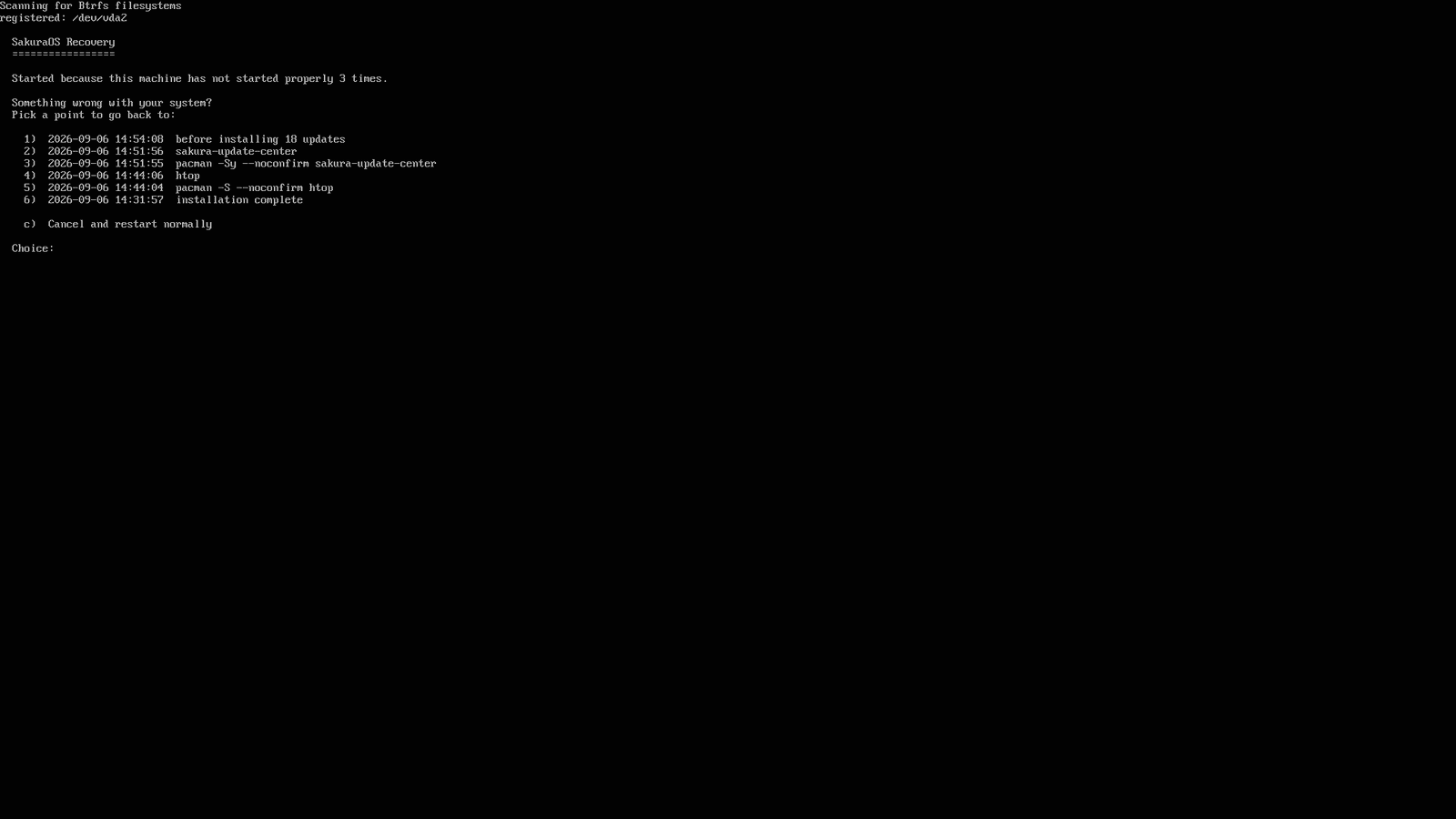
The rollback keeps what it replaced rather than deleting it, so changing your mind is possible in both directions. On an encrypted install it asks for your passphrase first, then behaves identically.
The fastest turn around time in the game
Every night a machine is installed from scratch, the day's Arch updates are applied to it, it is restarted, and forty-four checks are run against what comes back. Anything that breaks it is held back from you, with the reason attached. Everything else arrives at the speed of Arch, because holding packages back on a schedule is how a rolling release stops being one.
The terminal can be daunting, for novices and long time users alike
Immutable distributions have real advantages, and a real cost: eventually you need to do something the system will not let you do. SakuraOS stays fully writable, and puts a little over thirty rules in front of the commands known to break an Arch install.
The important ones run inside pacman itself, so they apply whether the
operation started in a terminal, a script, yay, or the App
Store. When a rule stops something it explains why, shows the safer form, and
prints the exact override. It can be set to warn instead of block, or turned
off entirely, in Settings.
The AUR is amazing, and also scary
To most people the AUR is necessary. It is the biggest user repository in all of Linux, and being that big means things get missed. We have all seen the recent run of malware turning up in it, and it is not a one off: it seems like every month another package is found carrying something it should not.
So the AUR is off on a fresh install. Turning it on is one switch in Settings.
Once it is on, two things happen that do not happen elsewhere. Everything you have installed is checked against every published AUR attack campaign, from inside pacman, after every install and upgrade. And before a package builds you see the script, what changed since the version you last accepted, and the signals that matter: a maintainer who changed last week, a package adopted three days ago, a download that is not coming from the project.
What is in the box
- Installer, which detects your hardware and applies the defaults rather than asking you to choose them.
- App Store, covering repository packages, Flatpak, Snap, AppImage and the AUR, with the source of every application stated plainly.
- Update Center, which owns the restore points and the rollback.
- Terminal Assist, the rules described above.
- Sakura Settings, where the AUR, the update schedule and Terminal Assist are configured.
The kernel is chosen by probing whether your processor supports x86-64-v3. If it does you get the tuned CachyOS build; if it does not you get the standard one, and nothing about the install changes. Both ship on the same image.
Getting it
One image, x86_64, about 3.2 GB. There is no edition to choose between. Everything above is on the media, so an install works with the cable out, including a browser.
The wiki describes what each part does and how to change it. Bugs and questions are welcome on r/SakuraOS.